Best Treat Dispensers With Cameras for Apartment Dogs
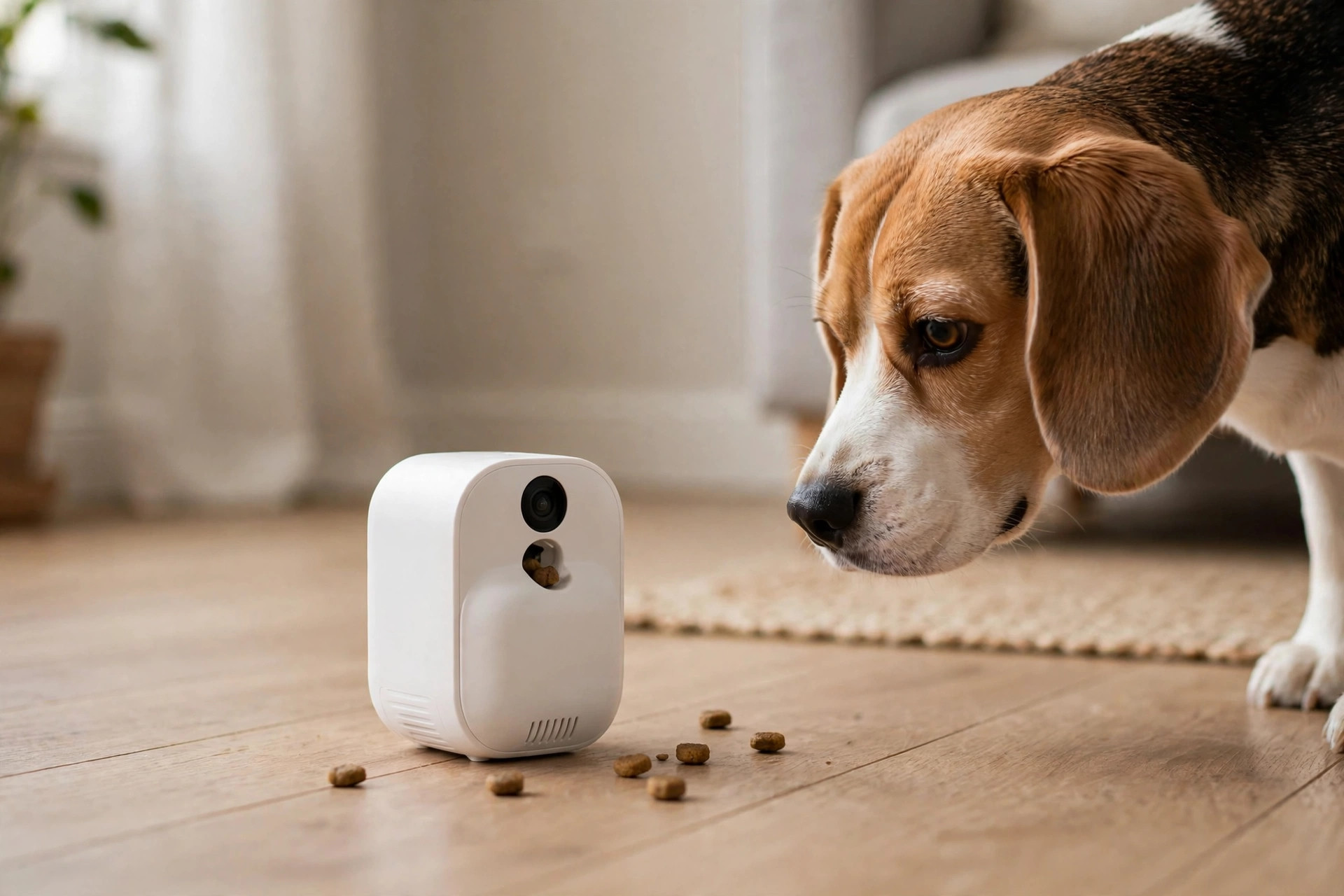
The pitch is irresistible: you are at your desk, your dog is home alone, and with one tap a treat arcs out of a camera while you say hello. The reality is more nuanced — treat dispensers are brilliant for some dogs and an expensive paperweight for others — and the difference comes down to your dog’s temperament, the size of the treats you load, and whether the machine survives a week of daily use without jamming.
- Furbo and Petcube own this category. Everything else is a distant third on software quality.
- Treat size is the number-one failure point: round, firm treats around 0.4–0.6 inches jam the least. Soft or irregular treats jam the most.
- Most dogs ignore the first dozen tosses. Budget a weekend of training before judging the purchase.
- A treat dispenser does not treat separation anxiety — for a truly panicked dog it can add stress, not relieve it.
- Refill reality: the hopper holds 1–2 days of tossing. Someone still has to load it.
Four dispensers worth loading
Every model below is a real, widely sold device — no white-label mystery cams, no discontinued relics. Prices are typical street prices.
| Dispenser | Best for | Usually | Apartment note |
|---|---|---|---|
| Furbo 360° Dog Camera | Most apartment dogs | $150–$199 | Rotating view; treat toss is gentle and consistent |
| Petcube Bites 2 Lite | Longer toss distance | $199–$249 | Flings treats up to 6 feet; wide-angle lens |
| SKYMEE Owl Robot | Dogs that need movement | $200–$250 | Drives around on wheels; doubles as a mobile camera |
| SKYMEE 1080P Pet Camera | Tight budgets | $90–$130 | Stationary dispenser; software is simpler than Furbo/Petcube |
Furbo 360° — the default pick
Furbo’s toss mechanism is the most refined in the category: a gentle arc that lands treats a few feet out, consistent enough that dogs learn the trajectory within days. The rotating base follows the dog around a studio apartment, and the barking alert is genuinely useful for renters who need to know about noise before the neighbors do. The catch is the subscription pressure — the free tier covers live view and bark alerts, while cloud clips and smart detection sit behind Furbo Nanny at roughly $7 a month. Treat-wise, stick to firm, round treats around half an inch; freeze-dried raw pieces and soft training treats are the classic jam culprits.
Petcube Bites 2 Lite — the distance pick
Petcube flings treats noticeably farther than Furbo — up to about six feet — which matters in long, narrow railroad apartments where the dog lounges at the far end. The 160-degree lens sees most of a room from one corner, and full-duplex audio means you can talk and listen simultaneously instead of the walkie-talkie rhythm of cheaper cams. The hopper is a touch smaller than Furbo’s, so heavy tossers refill every day or two. Petcube Care subscriptions unlock cloud history and smart alerts at a similar monthly price to Furbo’s plan.
SKYMEE Owl Robot — the mobile pick
The Owl is the odd one out: it rolls around on wheels, so you can drive it to wherever the dog actually is instead of hoping the dog wanders into frame. For dogs that get bored in one spot, a moving robot is dramatically more engaging than a static camera — it becomes a game, not a vending machine. The tradeoffs are real, though: battery life limits sessions to a couple of hours, it can get stuck on rug edges and thresholds, and some nervous dogs find a rolling robot scarier than a stationary box. Test your dog’s reaction before committing to this as the daily solution.
SKYMEE 1080P Pet Camera — the budget pick
The honest cheap option for owners who want treat tossing without the flagship price. The stationary dispenser, 1080p camera, night vision, and two-way talk all work; what you give up is software polish — the app is simpler, alerts are cruder, and there is no rotating base or smart detection. For a calm dog in a small apartment where the camera sits six feet from the couch, those extras barely matter. Spend the savings on better treats.
The treat-size guide that prevents jams
More treat dispensers “break” from wrong treats than from actual defects. The mechanism in every model is a small rotating drum or flap — it handles uniform, firm, round treats beautifully and chokes on everything else. The rules:
- Ideal: round, firm biscuits or kibble-style treats, roughly 0.4–0.6 inches across. Think standard training treats and small dog biscuits.
- Usually fine: freeze-dried single-ingredient treats, as long as the pieces are roughly uniform. Sift out the dust and crumbs at the bottom of the bag — that powder is what gums up the mechanism.
- Avoid: soft and chewy treats (they smear and stick), long sticks, anything with a sticky coating, and oversized biscuits you “thought would fit.”
- Calorie math: ten tosses a day at 15 calories each is 150 calories — a meaningful chunk of a small dog’s daily intake. Use the dog’s regular kibble as dispenser treats, or cut meal portions by about 10%.
Clean the hopper and toss chute every week or two. Treat dust accumulates into a paste that eventually jams even the right treats, and a thirty-second wipe prevents it.
- Day 1: let the dog investigate the silent machine, treating from your hand near it. The box should predict good things before it ever moves.
- Day 2: toss treats manually while sitting next to it, so the sound of the mechanism pairs with food.
- Day 3: trigger tosses from the app while you are in the next room. Many dogs startle at the disembodied sound — pair it with jackpots.
- Day 4+: short alone sessions, 15–30 minutes, with a few scheduled tosses. Build duration gradually.
When a treat dispenser is not the answer
Honesty matters here more than in most gear guides, because the marketing implies these devices fix loneliness. They do not. A dog with genuine separation anxiety — pacing, drooling, destroying door frames, howling for hours — will not be calmed by flying kibble. In fact, the unpredictable sound of the mechanism can add a new trigger to an already stressed dog. If your camera footage shows panic rather than boredom, skip the gadget upgrades and work through a desensitization plan, possibly with your vet’s help.
Where dispensers genuinely shine: the mildly bored dog that naps 80% of the day and would enjoy a midday game, the owner who works long shifts and wants one positive interaction during the day, and multi-pet homes where the camera doubles as a peacekeeping monitor. They are enrichment, not therapy — and as enrichment, used a few times a day, they are excellent.
Buy the dispenser for the dog you have, not the commercial. If your dog startles at the microwave beep, a machine that launches projectiles with a mechanical whirr needs the full training plan — not a same-day unboxing video. And keep a bag of the right-sized freeze-dried treats on hand before the camera arrives, so day one starts with the treats that actually fit.
FAQ
My dog is scared of the tossing sound. Is it hopeless?
Almost never — but do not power through it. Go back to the training plan: silent investigation, then mechanism sounds paired with hand-delivered treats, then app-triggered tosses while you are home. Most dogs come around within a week. The rare dog that stays fearful after two weeks of patient work is telling you the device is not for them; sell it and put the money toward puzzle feeders instead.
Can I use it to feed meals while I am at work?
Not reliably. The hopper holds treats, not meals — a day’s worth of kibble will not fit, and portion control is approximate at best. For actual meals on a schedule, use a dedicated automatic feeder (the mechanics are the same idea, minus the camera). Think of the dispenser as a snack machine, not a cafeteria.
Will it work on my apartment’s Wi-Fi?
If your apartment has a standard router with a password, yes — just confirm the 2.4 GHz band is enabled, since these cameras cannot see 5 GHz networks. Building-wide Wi-Fi with a browser login page usually blocks setup, because the camera cannot click through a captive portal.
Do I need the subscription?
For the core treat-tossing and live viewing, no — every model here works without a plan. The subscriptions (roughly $5–$10/month) add cloud video history and smart alerts like barking detection. Start without one; add it only if you find yourself wishing you could rewind yesterday afternoon.